Gallery
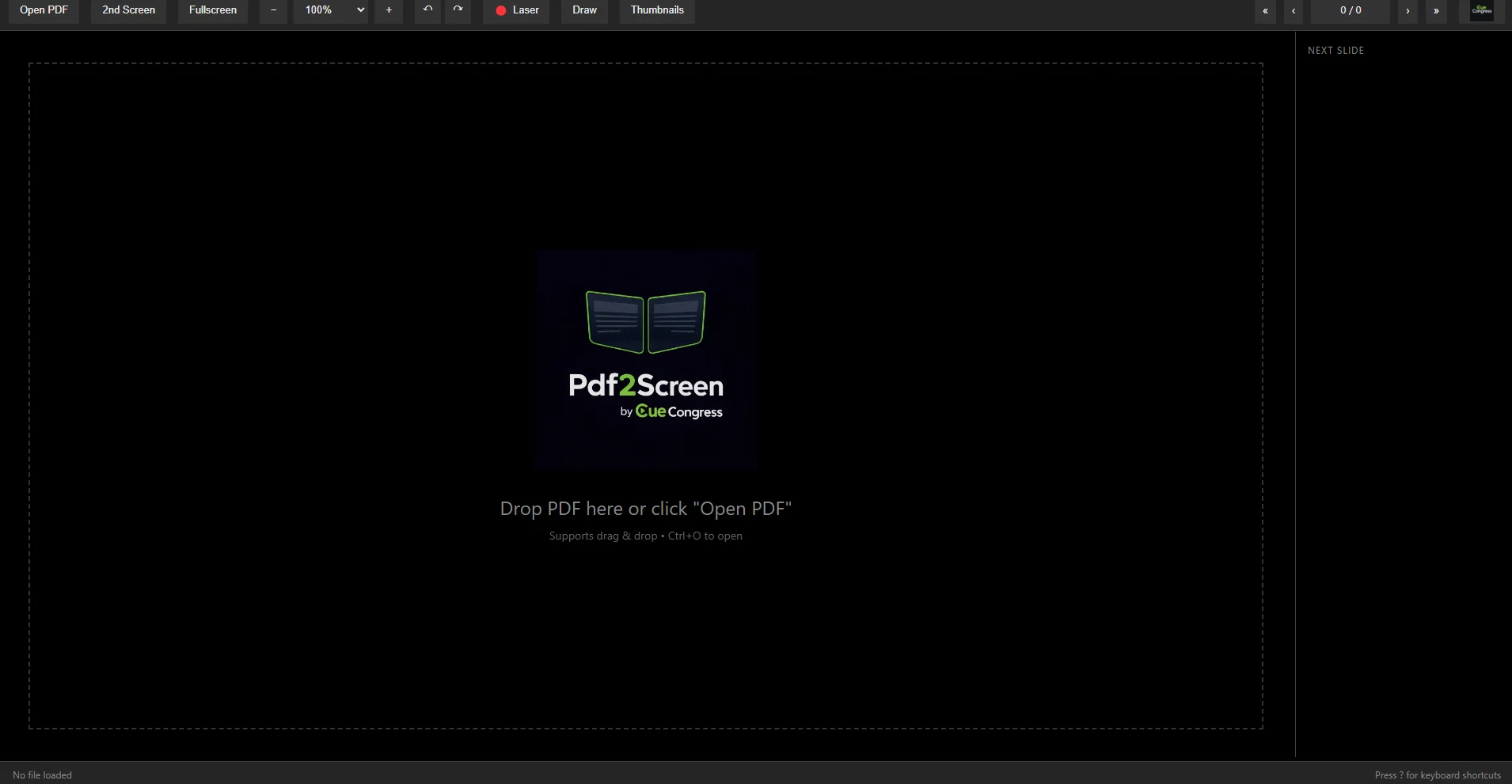
Main Interface — Toolbar, drag & drop zone, zoom, laser, draw, and page navigation
Your PDF Presentation Hub
Pdf2Screen is a dual-screen PDF presentation tool designed for live events. Display PDFs on a dedicated output (projector/HDMI) while controlling everything from your main screen with professional-grade tools.
Key Features
Dual-Screen Output
Send your PDF to a second screen (projector/HDMI) with one click while keeping full control on your operator display.
Videos & Sounds Inside Your PDF
Videos and audio embedded in the PDF play right on the slide — on the audience screen and your presenter screen together. Nothing starts until you press play; pause, seek and set the volume from the presenter screen.
Sound Goes Where It Should
Plug in headphones, a cable to the mixer or HDMI and the sound follows what you plugged in last — no restart. Otherwise it plays through the audience screen's HDMI. Prefer a fixed output? Pick it in Settings.
Laser Pointer
Built-in virtual laser pointer synced to the audience screen — toggle with L key or hold Ctrl for temporary use.
Drawing Tools
Annotate live with pen, highlighter, and eraser. Choose colors, adjust stroke width, and sync drawings to the second screen.
Next Slide Preview
Always see what's coming next with the built-in preview panel — stay one step ahead during your presentation.
Thumbnail Sidebar
Visual page thumbnails for quick navigation — jump to any slide instantly with a single click.
Zoom & Rotation
Zoom from 50% to 400%, fit-to-width or fit-to-page, and rotate pages left or right for any orientation.
Keyboard Shortcuts
Full keyboard control — arrow keys for navigation, L for laser, D for draw, T for thumbnails, F11 for fullscreen.
Drag & Drop
Open PDFs by dragging files straight onto the presenter window or with the file dialog — they open on the audience screen at the same time.
Fullscreen Mode
Clean fullscreen presentation with floating exit button — toolbar auto-hides for maximum screen real estate.
Auto Fit & HiDPI
Pages auto-fit on resize with sharp rendering on high-DPI displays. Always looks crisp on any screen.
Drawing Undo & Per-Page Memory
Undo your last stroke instantly. Drawings are saved per page — switch slides and come back without losing annotations.
Slide Timer Integration
Automatically syncs with Slide Timer — start and stop timers when you begin or end your presentation.
Resizable Preview Panel
Drag the divider to resize the next-slide preview panel — adjust to your preferred layout. Double-click to reset.
Perfect For
- Conference presentations
- Document review sessions
- Academic lectures
- Training seminars
- Legal proceedings
- Board meetings
Why Pdf2Screen?
Unlike standard PDF readers, Pdf2Screen is built for live event scenarios where you need a dedicated display output with reliable, smooth performance.
Control everything from your main screen while your audience sees a clean, professional PDF presentation on the projector.
System Requirements
- Windows: Windows 10 or later (64-bit)
- macOS: Coming Soon
- RAM: 4 GB minimum
- Disk: 290 MB free space
- Display: 1280 x 720 minimum