Gallery
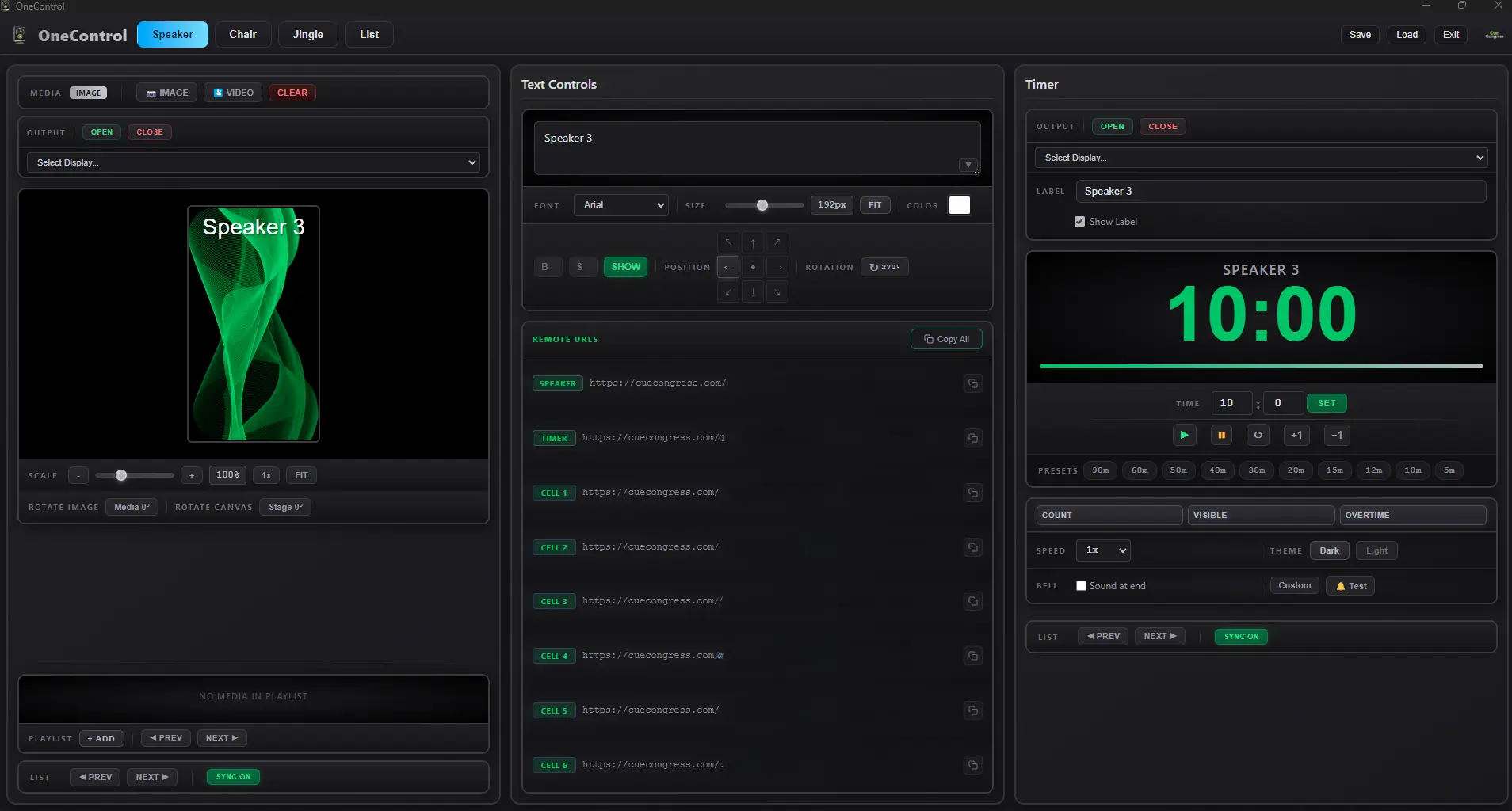
Speaker Tab — Media output, text overlay, playlist, and countdown timer
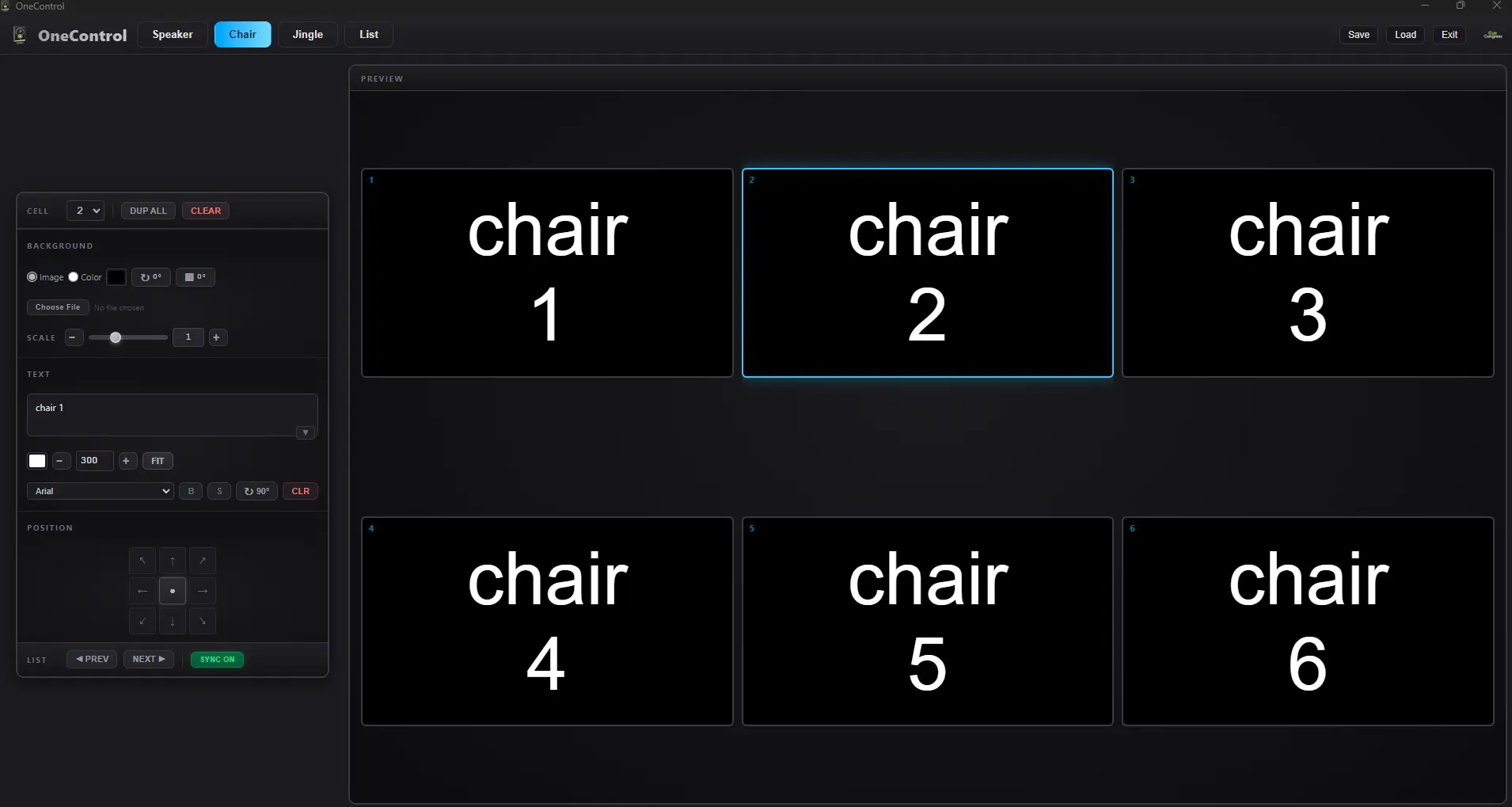
Chair Tab — 6-cell panel grid with individual background and text controls
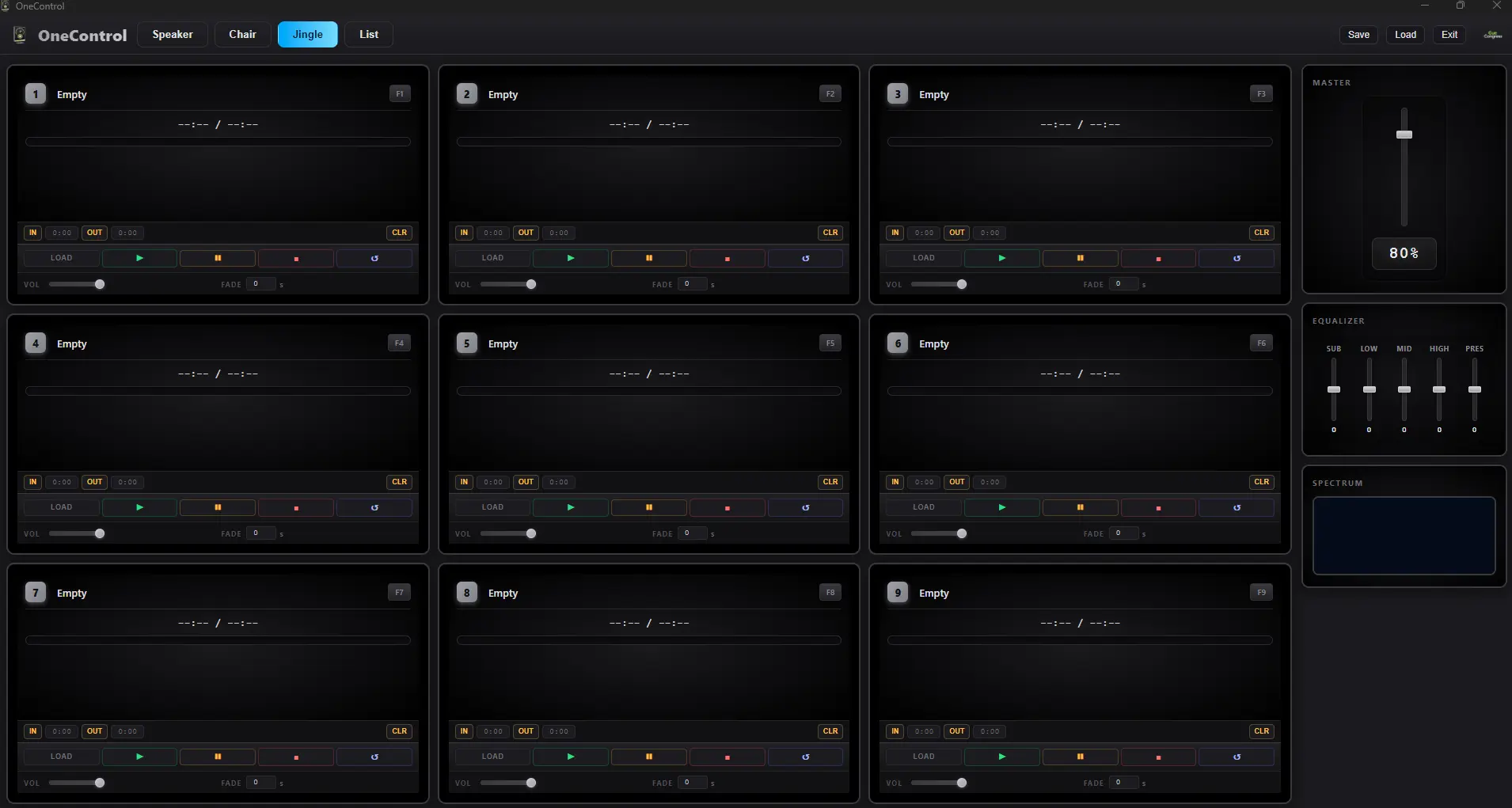
Jingle Tab — 9 audio slots with volume, fade, cue points, master EQ and spectrum analyzer
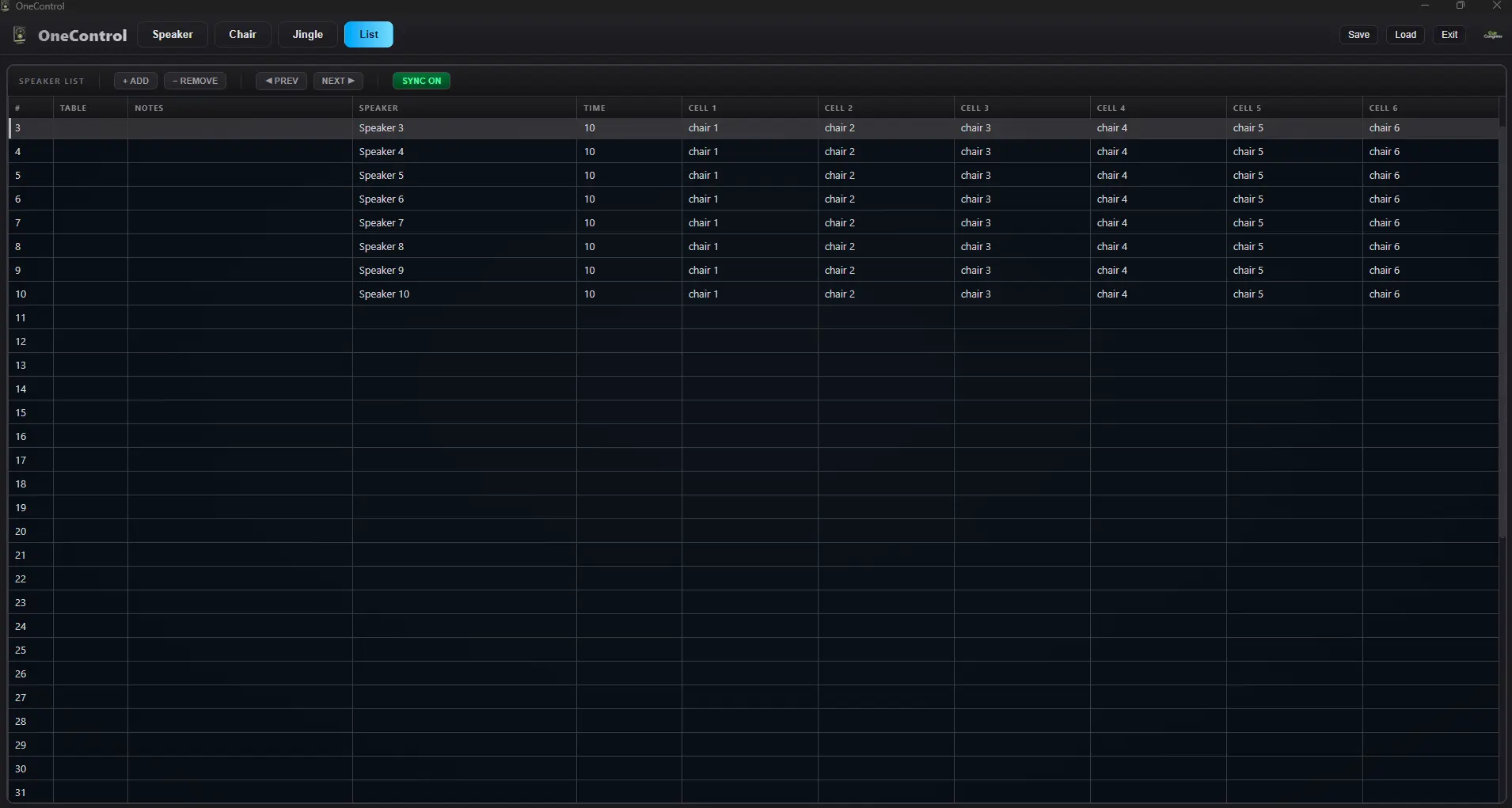
List Tab — Speaker list with table, notes, time, and cell assignments per entry
Your Complete Event Control Center
One Control brings together everything you need to manage live events — speakers, timers, presentations, images, jingles, and panel discussions — all from one intuitive interface with 4 dedicated workspaces.
Key Features
Multi-Screen Output
Send media and timers to dedicated displays (projector/HDMI) while controlling everything from your operator screen.
Image & Video Media
Load images and videos with play, pause, loop, and mute controls. Scale, rotate, and fit media to any screen orientation.
Remote browser viewers support videos up to 10 MB. Larger videos play on local and LAN outputs only.
Text Overlay
Custom text overlay with font, size, color, bold, shadow, 9-position grid placement, and rotation — live on the output screen.
Image Playlist
Build a playlist of images with thumbnail navigation. Step through slides with prev/next controls during the event.
Countdown Timer
Full-featured timer with presets (5m–90m), start/pause/reset, +1/-1 minute, overtime mode, speed control, and bell sound.
6-Cell Panel Grid
Configure up to 6 speaker cells for panel discussions — each with its own background image, text overlay, and positioning.
9 Jingle Slots
Load audio files with F1–F9 hotkeys. Play, pause, stop, and loop with per-slot volume, fade, and cue in/out points.
Master Audio & EQ
Global master volume fader with 5-band equalizer (Sub, Low, Mid, High, Presence) and real-time spectrum analyzer.
Speaker List
Manage your event with a full speaker list — table, notes, speaker name, time, and cell assignments per entry.
Sync Navigation
Link list navigation across Speaker, Timer, and Chair tabs. Step through the list and all views update together.
Remote Browser Access
Built-in web server generates URLs for Speaker, Timer, and all 6 Cell views — open on any browser on your network.
Podium Slide Control
See a live slide position readout and advance the podium PC's presentation with next/prev buttons — for PowerPoint, Keynote, and PDF viewers — without leaving the operator position.
Save & Load Projects
Save your entire event configuration and reload it anytime. Never lose your setup between rehearsals and show day.
Perfect For
- Corporate conferences and summits
- Panel discussions and debates
- Professional events with multiple speakers
- Broadcast studios
- Government assemblies
- Educational seminars and lectures
Why Choose One Control?
One Control eliminates the complexity of managing multiple tools during live events. Everything you need is in one place, designed for operators who need reliability and precision.
With One Control, you can focus on delivering a flawless event instead of juggling between different applications.
Podium PC Integration
OneControl Remote is a free companion app that runs on the presenter's podium PC or Mac. Once connected, One Control can browse the podium machine's files, launch or close presentations remotely, see a live slide position readout, and advance slides with next/prev buttons — for PowerPoint, Keynote, and PDF viewers — no need to touch the podium machine during a show.
Free — see the manual for setup instructions.
System Requirements
- Windows: Windows 10 or later (64-bit)
- macOS: Coming Soon
- RAM: 4 GB minimum
- Disk: 273 MB free space
- Display: 1280 x 720 minimum