
Windows 10/11 · v1.1.6 · No registration. No account. Just download and run.
Gallery
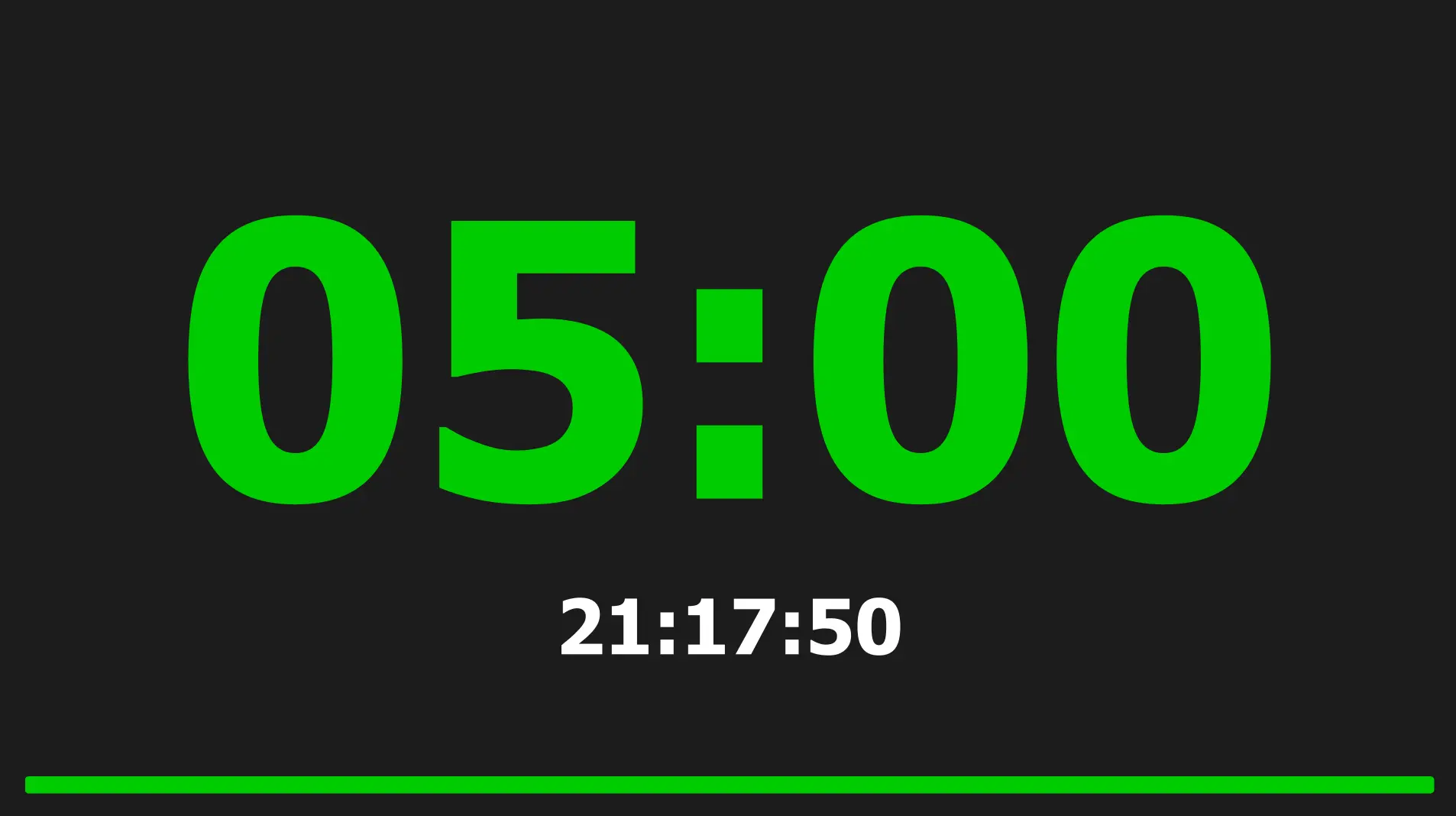
Fullscreen output on second screen — countdown with progress bar
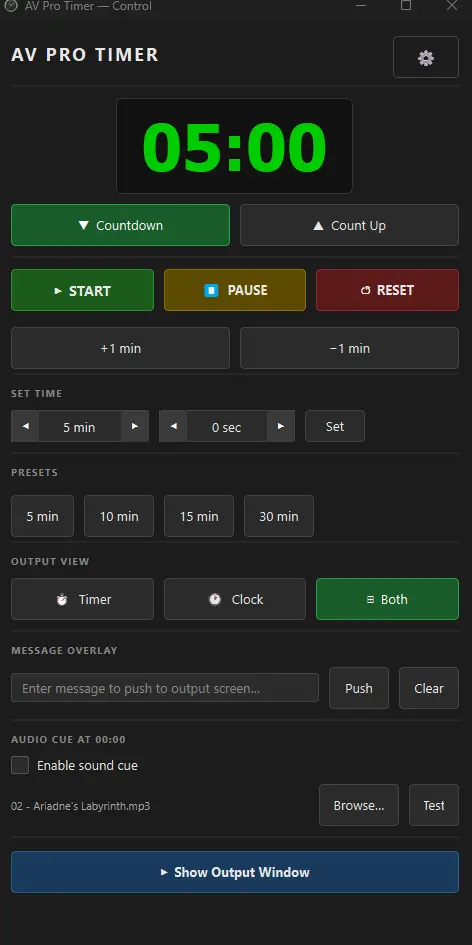
Control panel — timer controls, presets, message overlay, and audio cue
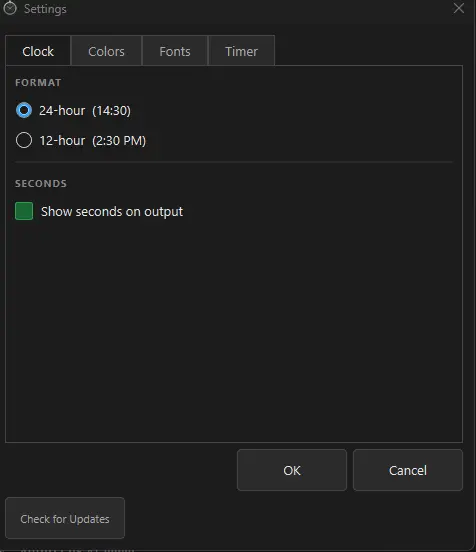
Settings — fully customizable colors, fonts, and timer behaviour
Precision Timing for Live Events
AV Pro Timer is a professional countdown and count-up timer built for event operators, AV technicians, and stage managers. It runs on your control machine and pushes a fullscreen display to a second screen — the output your speakers and crew see.
Set a duration, hit Start, and AV Pro Timer takes care of the rest: color-coded warnings, a blinking alert when time runs out, an optional audio cue, and a live clock alongside the timer.
Key Features
Dual-Screen Output
Control panel stays on your screen. The fullscreen output window goes to your second monitor — the screen facing speakers or the stage.
Countdown & Count-Up
Switch between countdown and count-up modes instantly. Both modes support the same preset library and color warnings.
Color-Coded Warnings
Green for time remaining, orange when approaching the threshold, red when time is up — instantly readable at a distance.
Blink at Zero
The timer blinks when countdown reaches zero so no one on stage misses the signal, even without looking at the operator.
Audio Cue
Play any sound file automatically when the countdown hits zero. Supports WAV, MP3, OGG, FLAC, and AAC.
Live Clock
Display the current time on the output screen alongside — or instead of — the timer. Supports 12-hour and 24-hour formats.
Message Overlay
Push a text message to the output screen from the control panel. Useful for "5 minutes to stage", cue prompts, or any live instruction.
Presets
Save your most-used durations as one-click preset buttons. Set a 5-minute, 15-minute, and 30-minute preset before the event and never touch the spinboxes during a show.
+/– Adjustment
Add or subtract one minute from a running or stopped timer without stopping the clock — perfect for on-the-fly adjustments during a live session.
Fully Customizable
Change every color (background, timer, clock, warning, critical, message), font sizes, warning threshold, and default duration from the Settings panel.
Output Views
Show timer only, clock only, or both on the output screen. Switch instantly without interrupting the timer.
Keyboard & Stream Deck Shortcuts
Assign any key or combination to Start/Pause, Reset, +1 min, −1 min, and Toggle Output. Click Set Key, press a button on your Stream Deck — it's detected instantly.
Background Image
Set a custom PNG or JPG image as the background of the output screen — perfect for branded event displays or custom stage looks.
Output Preview
A live preview button on the control panel lets you see exactly what is showing on the output screen without looking away from your station.
Quick Preset Save
Save any duration directly to your preset list with one click — no need to open Settings. Type your time and press Add to Preset.
Perfect For
- Conference and congress operators timing speaker sessions
- Stage managers and floor managers in live production
- Broadcast and studio timing operations
- Award ceremonies and gala events
- Church services and worship events
- Corporate town halls and all-hands meetings
- Sports events with managed speaker time
- Training rooms and workshop facilitators
System Requirements
- Windows: Windows 10 or later (64-bit)
- macOS: Coming Soon
- RAM: 4 GB minimum
- Disk: 150 MB free space
- Display: 1280 × 720 minimum; second monitor recommended for output
v1.1.6 · No registration · No account · No license key