
Stream Your Camera to Any Screen on Your Network
CueLink streams live camera video and audio to any device on your local network. Point a camera at the stage, plug it into a laptop running CueLink, and every TV, monitor, laptop, or phone on the network can watch the live feed — either through the CueLink Receiver app or any web browser. No internet required, no cloud services, no accounts.
Screenshots
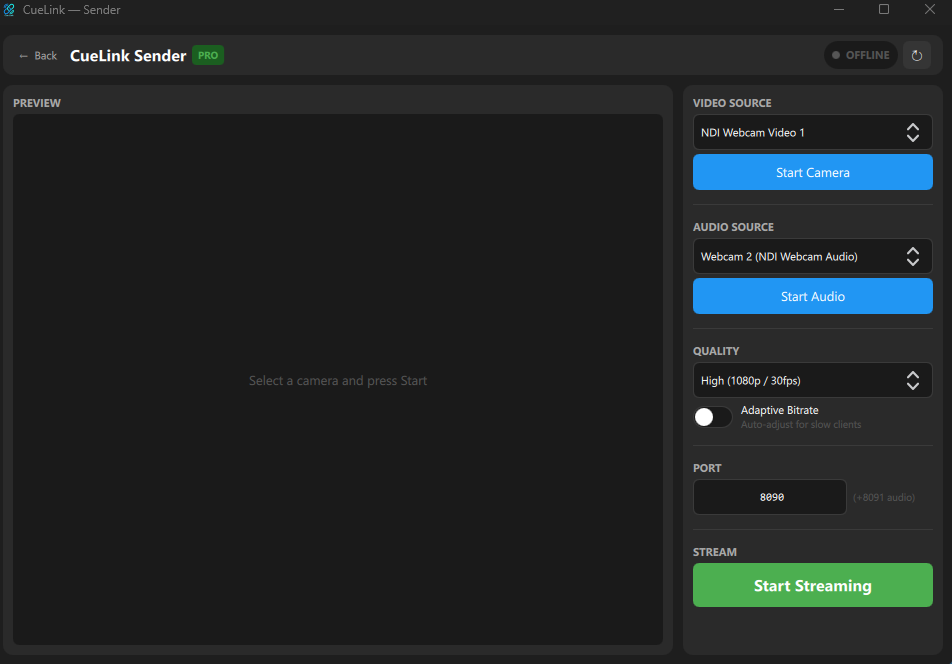
Sender Mode
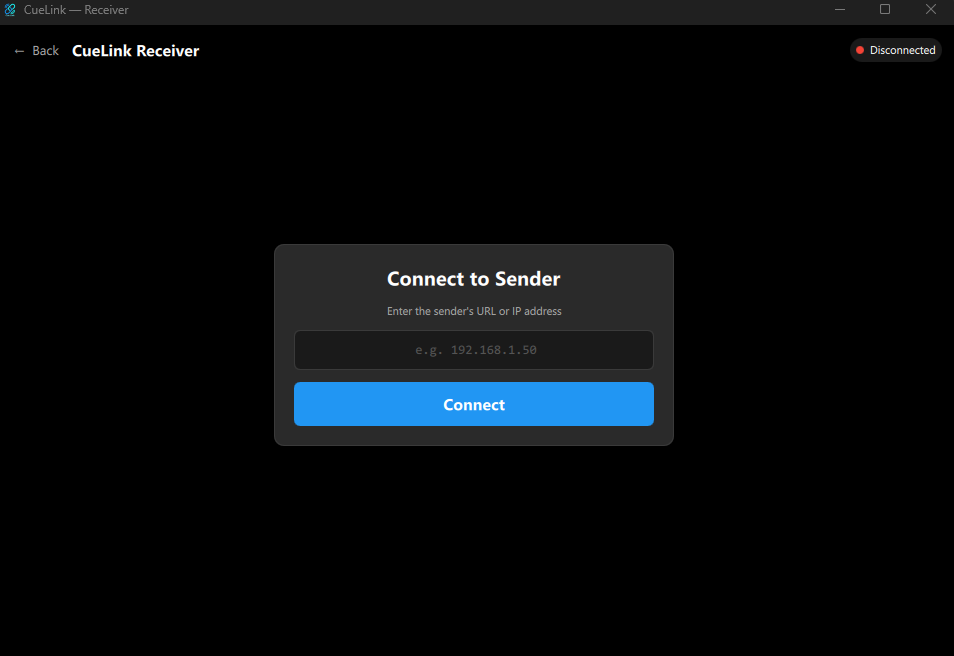
Receiver Mode
Browser Viewer
Two Modes, One App
Sender Mode
Capture video from any USB camera and audio from any microphone. Stream to your network with one click. See a live preview, VU meter, and viewer count. Control quality, port, and adaptive bitrate.
Receiver Mode
Connect to any Sender on the network by entering its URL. Full-screen video playback with audio. Ideal for lobby TVs, overflow rooms, or backstage monitors.
Browser Viewer
Any device with a web browser can watch the stream — just open the URL shown in the Sender. No app installation needed on viewing devices. Works on phones, tablets, laptops, and smart TVs. Video plays as MJPEG, audio via WebSocket with Web Audio API. A “Tap to start audio” overlay handles browser autoplay policies.
Key Features
Live Camera Streaming
Stream from any USB/DirectShow camera over your local network. MJPEG over HTTP for maximum compatibility — no special protocols or plugins required.
Audio Streaming
Capture audio from any microphone and stream it alongside video. WebSocket-based audio delivery with real-time VU metering (dB scale, smooth decay).
Quality Presets
High (1080p/30fps), Balanced (720p/30fps), or Low Bandwidth (480p/15fps). Choose the right trade-off between quality and network load for your venue.
Adaptive Bitrate PRO
Automatically adjusts JPEG compression based on client lag. When viewers fall behind, quality drops to keep the stream smooth. Restores quality when clients catch up.
Unlimited Viewers PRO
Free version supports 1 viewer. Pro removes the limit — stream to every screen in your venue simultaneously.
Custom Port PRO
Change the streaming port if the default (8090) conflicts with other services. Audio port auto-follows (HTTP port + 1).
No Internet Required
Runs entirely on your local network. No cloud relay, no external accounts, no data leaving the venue. Your streams stay private.
Browser Compatible
Viewers don’t need to install anything. Open a URL in any browser to watch. Works on any OS, any device.
Free vs Pro
| Feature | Free | Pro |
|---|---|---|
| Video streaming | 720p max | 1080p+ |
| Audio streaming | ✓ | ✓ |
| Connected viewers | 1 | Unlimited |
| Quality control | Fixed | Full |
| Adaptive bitrate | — | ✓ |
| Custom port | — | ✓ |
| Browser viewer | ✓ | ✓ |
Pro is an annual subscription. From €10/year.
How It Works
- Install CueLink and select Sender
- Choose your camera and microphone, then click Start Streaming
- Share the URL shown on screen (e.g.
http://192.168.1.50:8090) - On any TV or device, open that URL in a browser — or use CueLink Receiver for dedicated playback
Perfect For
- Overflow rooms at conferences and corporate events
- Lobby and foyer displays showing a live camera feed
- Houses of worship streaming to cry rooms or fellowship halls
- Backstage monitors for performers and crew
- Sports venues and community events
- Venues with no internet — works entirely offline on your LAN
- Anyone who needs instant, private live video without YouTube/cloud delay
Network Requirements
CueLink works over your local network (LAN). The Sender PC and all viewing devices must be on the same network. No internet connection is needed.
- Wired (Ethernet): All devices on the same switch or router
- Wi-Fi: All devices on the same wireless network (same SSID)
- Mixed: Wired + Wi-Fi on the same network
Important: Some networks block device-to-device communication. If viewers cannot connect:
- Ask the venue’s IT department to disable client isolation (AP isolation) on the WiFi
- If that’s not possible, connect all devices to a mobile hotspot
System Requirements
- Windows: Windows 10 or later (64-bit)
- macOS: Coming Soon
- RAM: 4 GB minimum
- Camera: USB webcam or capture card (DirectShow compatible on Windows; UVC-compatible on macOS)
- Network: Local network (LAN/Wi-Fi) between sender and viewers
- Display: 1280 x 720 minimum