Gallery
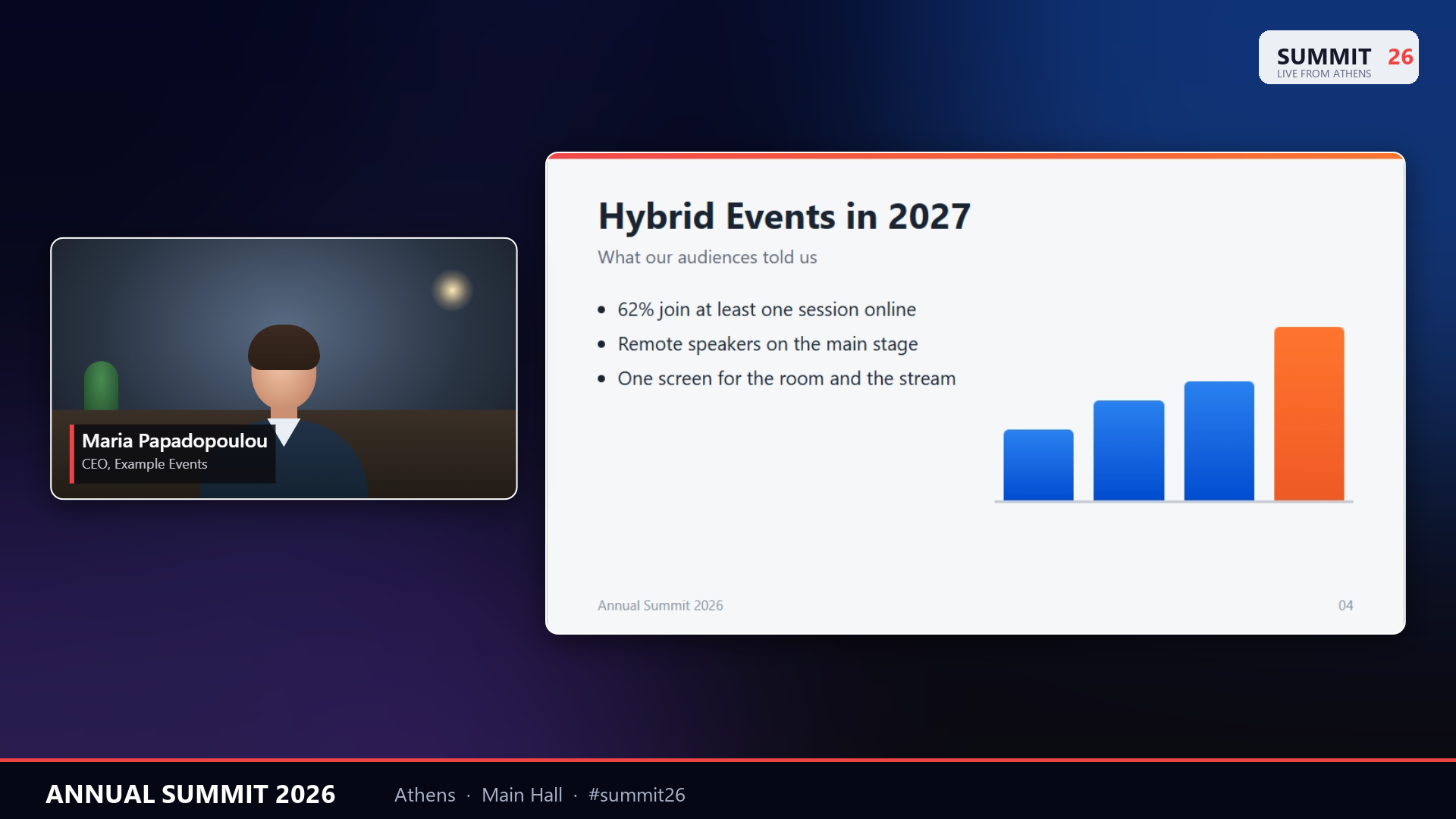
Output — the shared slides and the speaker over your background, with the speaker's name
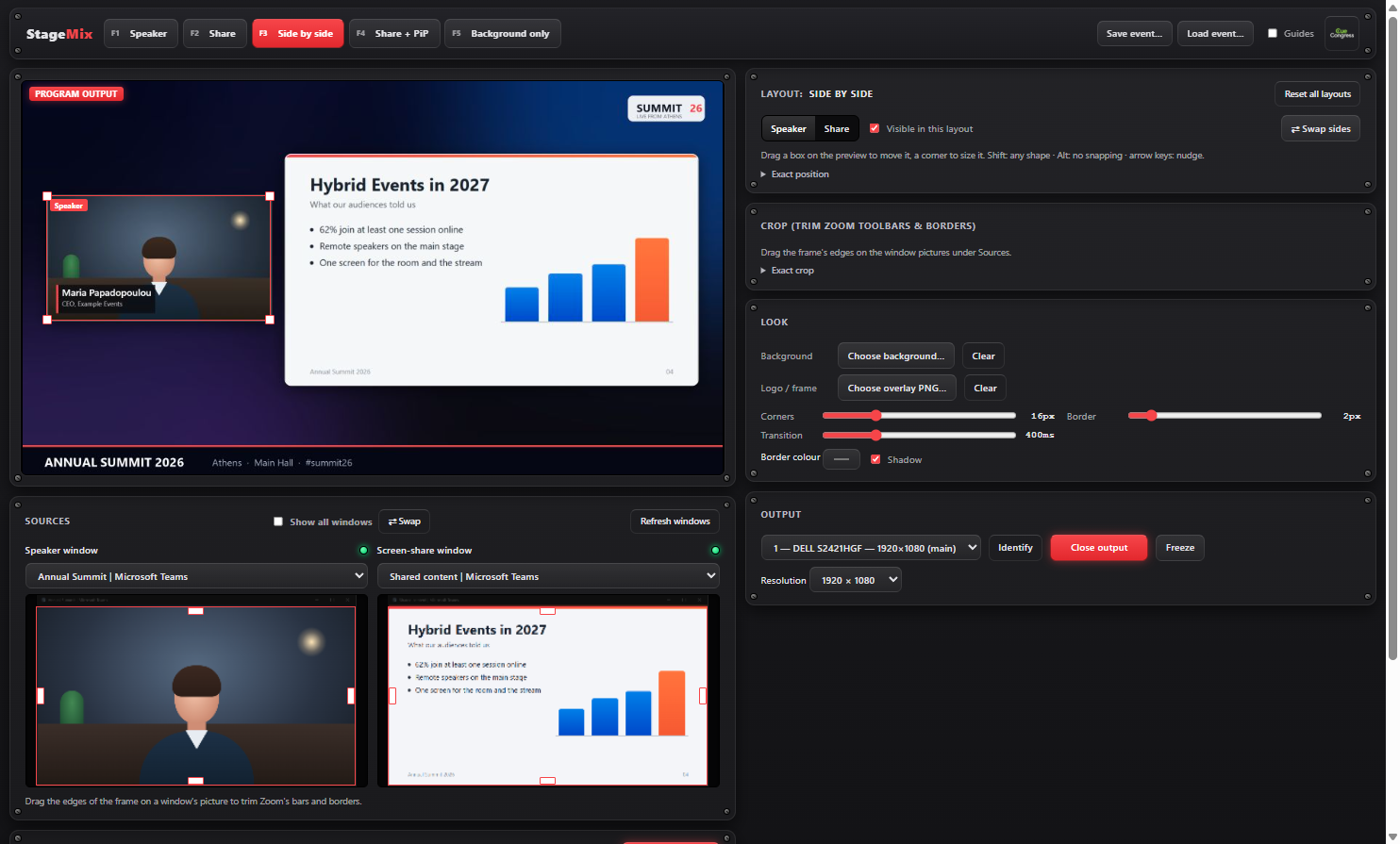
Control — layouts, the meeting windows, crop, logo, names and the screen to send to
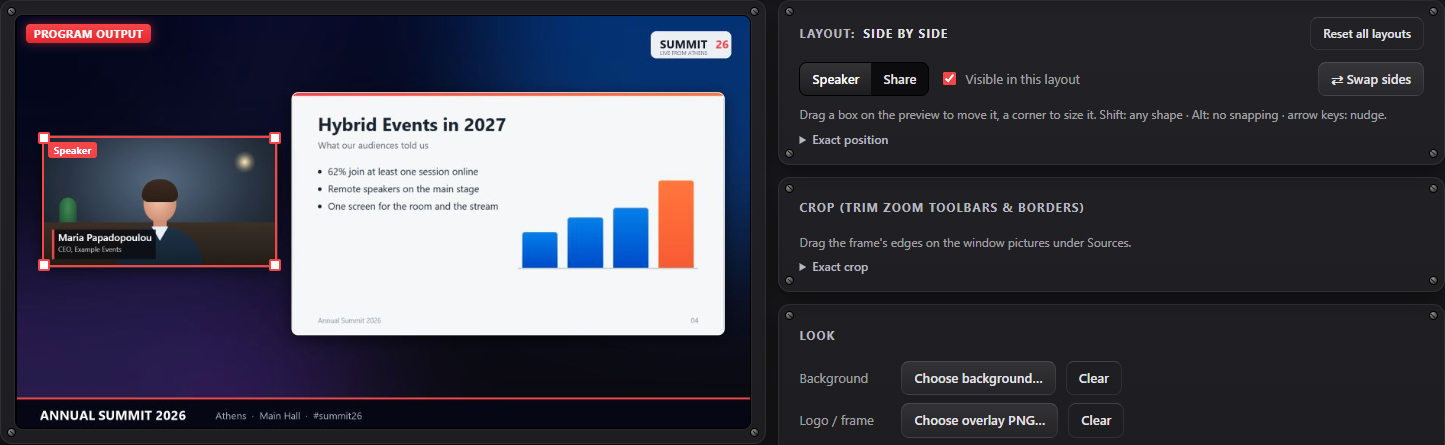
Layouts — drag a picture on the preview to move it, a corner to size it
Zoom and Teams, Show-Ready
StageMix runs on the same laptop as Zoom or Microsoft Teams. It takes the meeting's speaker window and its shared screen, places them over your own background, and sends the result full screen to the projector or LED wall — like a speaker-and-slides layout in a vision mixer, without the mixer. Switch between speaker, slides, side by side and picture-in-picture with one key, even while the meeting is in front.
Key Features
Five Layouts, One Key Each
Speaker, Share, Side by side, Share with the speaker in a corner, and Background only for breaks — on Ctrl+Shift+F1 to F5, working while Zoom or Teams is in front.
Arrange by Hand
Drag a picture on the preview to move it, a corner to size it. Edges snap to the frame and to each other; Swap sides puts the speaker on the other side.
Your Brand Around It
Your own background picture behind the meeting, a logo or frame over it, rounded corners, borders and a shadow on the pictures.
Speaker Names
A name and title bar on the speaker's picture. Keep the whole programme in a list and go to the next name with one click or Ctrl+Shift+F8.
Trim Zoom's Bars
Drag the edges of a frame on each meeting window's picture to cut away toolbars, name tags and black bars, so only the speaker and the slides show.
Safe When Live
Freeze holds the picture when something should not be seen. Guides show in the preview only, never on the projector, and a closed meeting window is found again by itself.
Perfect For
- Conferences and corporate events with remote speakers on Zoom or Teams
- Hybrid meetings where the room should see the remote speaker and the slides at once
- Award nights, panels and webinars shown on a projector or LED wall
- Any venue with one laptop for the meeting and no vision mixer
System Requirements
- Windows: Windows 10 or later (64-bit)
- macOS: Coming Soon
- Meeting: the Zoom Workplace or Microsoft Teams app on the same computer (for the speaker and the share in two windows, Zoom's "Use dual monitors" or Teams' "Pop out")
- Display: a second screen, projector or LED processor for the output
- License: a device is the computer StageMix runs on