Gallery
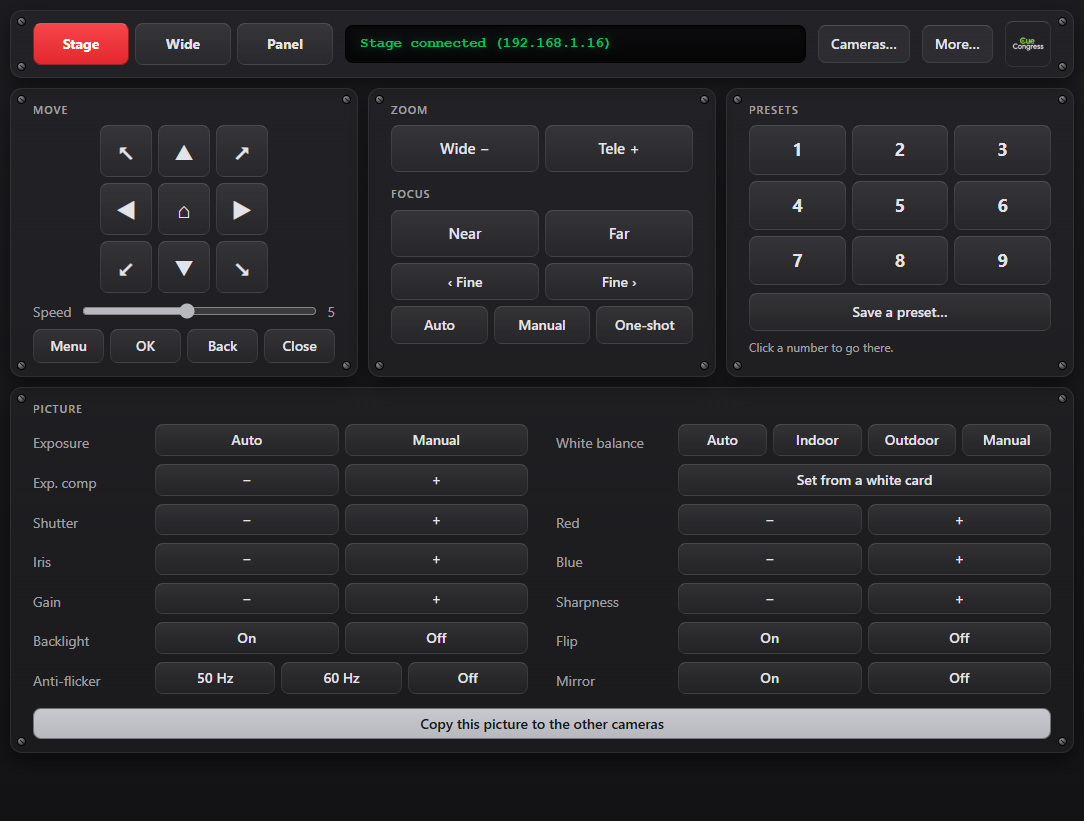
Control Panel — move, zoom, focus, presets and every picture setting of the selected camera
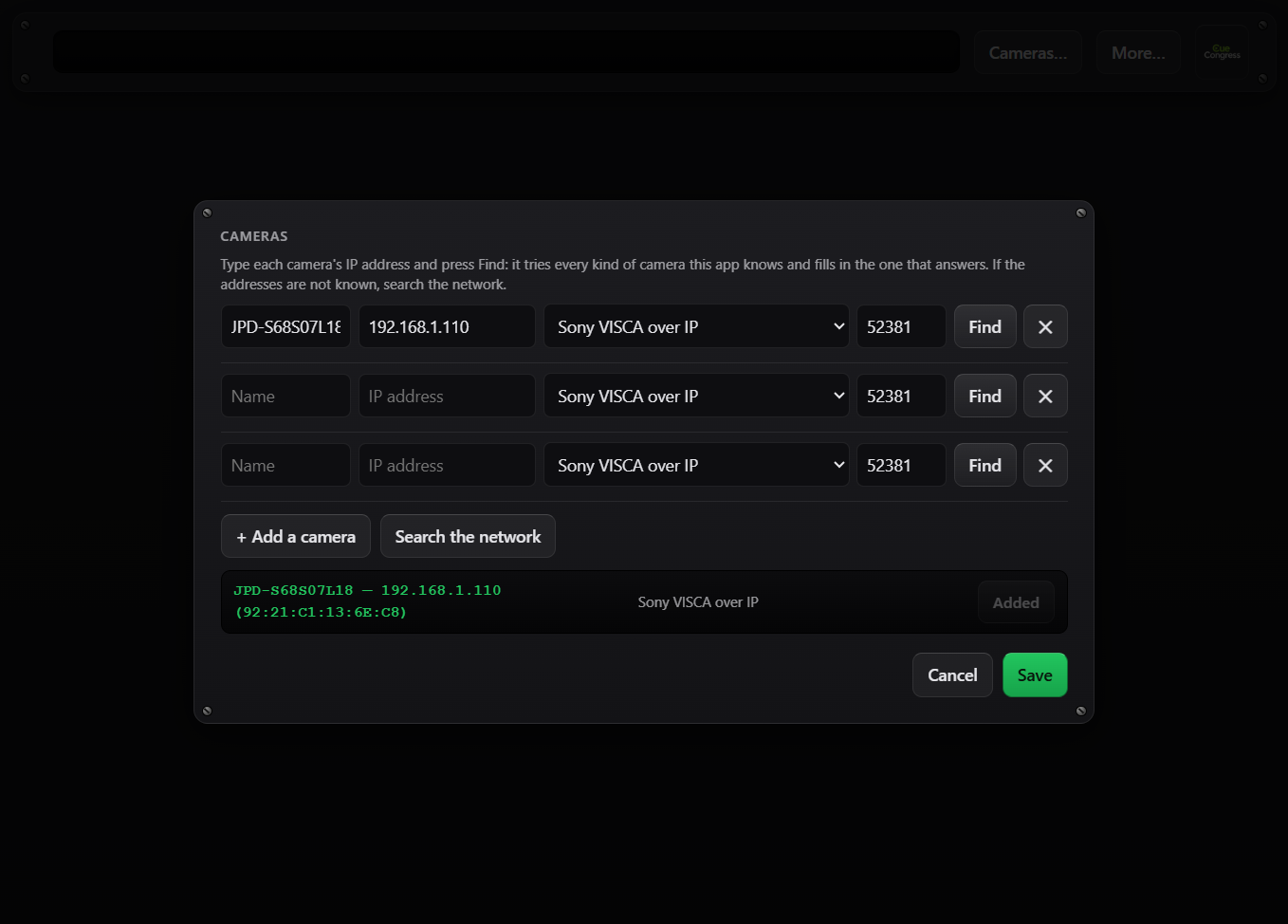
Cameras — search the network for your cameras and add them with one click
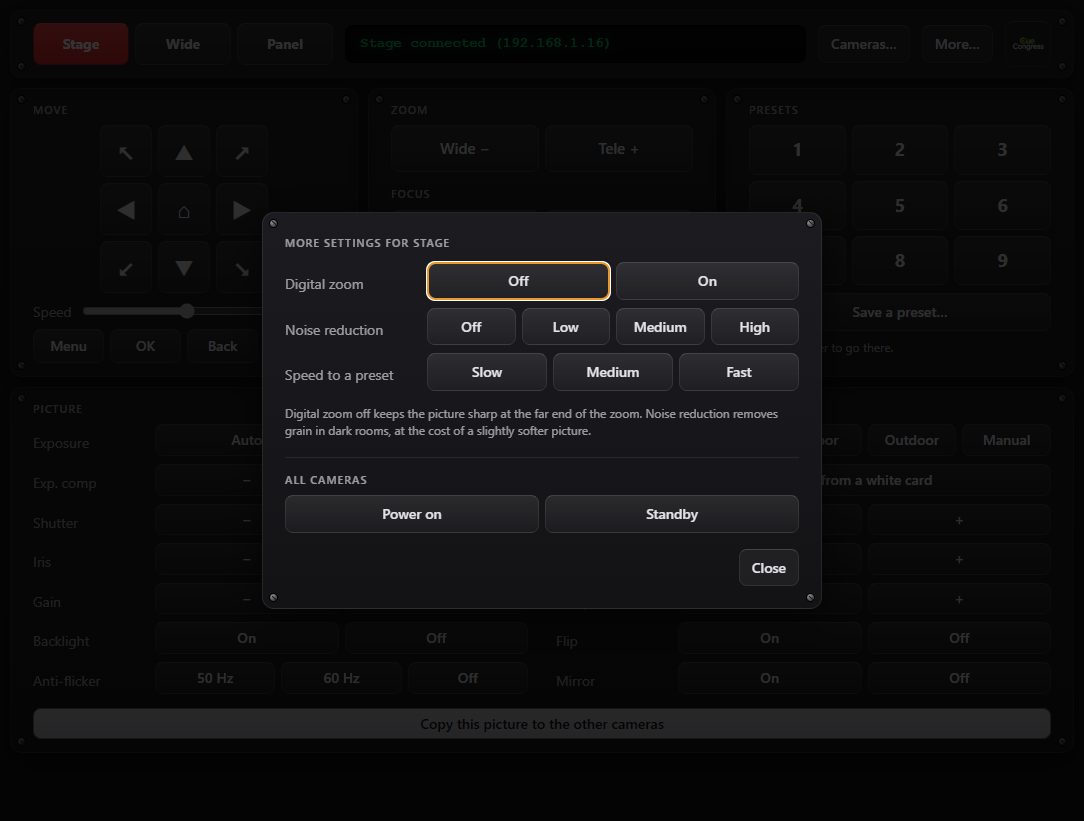
More — digital zoom, noise reduction, preset speed and power for all cameras at once
Every Camera, One Panel
PTZ Control drives your PTZ cameras over the network from one window: hold an arrow to move, let go to stop, recall a preset with one key. Beyond movement it gives you the picture — exposure, white balance, gain, sharpness, backlight — and copies one camera's look to all the others, so every cut between cameras matches.
Key Features
Move, Zoom & Presets
Eight-way movement with adjustable speed, zoom, home position and 9 presets — from the mouse or the keyboard (arrows, + and −, number keys, F1–F9 for cameras).
Precise Focus
Near and Far while held, tiny Fine steps per click, and One-shot: focus once on the subject, then stay locked so the lens stops hunting during the shot.
Picture Settings
Manual or automatic exposure, shutter, iris, gain, exposure compensation, backlight, white balance from a white card, red and blue, sharpness, flip and mirror.
Match All Cameras
One click copies the selected camera's exposure, white balance and sharpness to every other camera, so the picture doesn't jump between cuts.
Find Lost Cameras
Search the network shows every camera with its current address and MAC — even one that switched to DHCP or sits on another network — and can give it a new address.
Many Makes
Sony VISCA over IP, PTZ Optics VISCA UDP, VISCA over TCP, PTZ Optics HTTP and Panasonic. Find detects which one a camera answers on; controls a camera lacks are greyed out.
Perfect For
- Conferences and corporate events with two or more PTZ cameras
- Live streams and hybrid meetings mixed in vMix, OBS or a hardware switcher
- Houses of worship, lecture halls and council chambers
- Any venue where the remote is missing and the camera addresses are unknown
System Requirements
- Windows: Windows 10 or later (64-bit)
- macOS: Coming Soon
- Network: the computer and the cameras on the same network (cable or Wi-Fi)
- Cameras: PTZ cameras with VISCA over IP, PTZ Optics HTTP or Panasonic control — any number of cameras
- License: a device is the computer PTZ Control runs on; the number of cameras is not limited