
Gallery
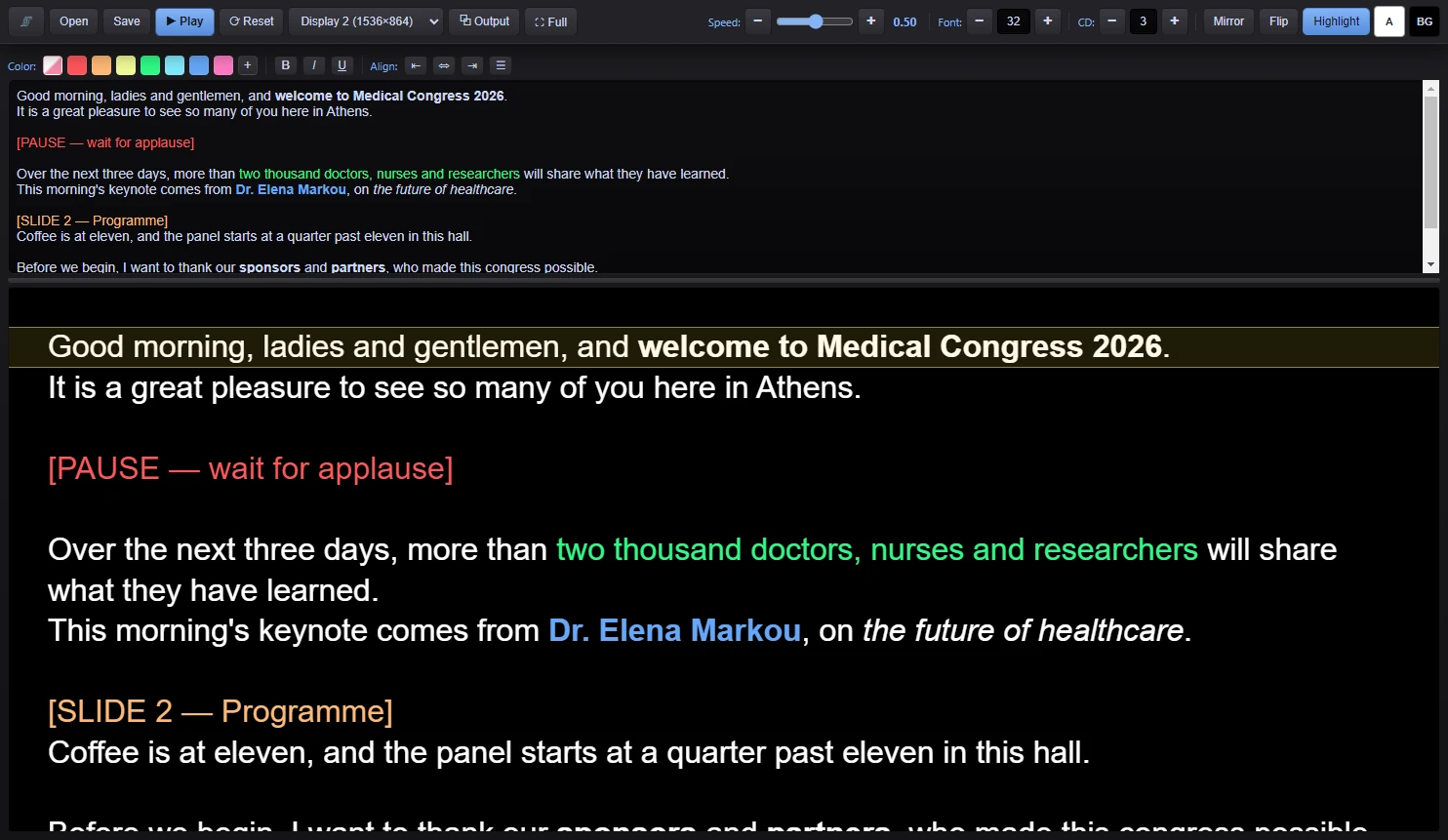
Control Window — the script editor with colours, bold and italic, and the live prompter below
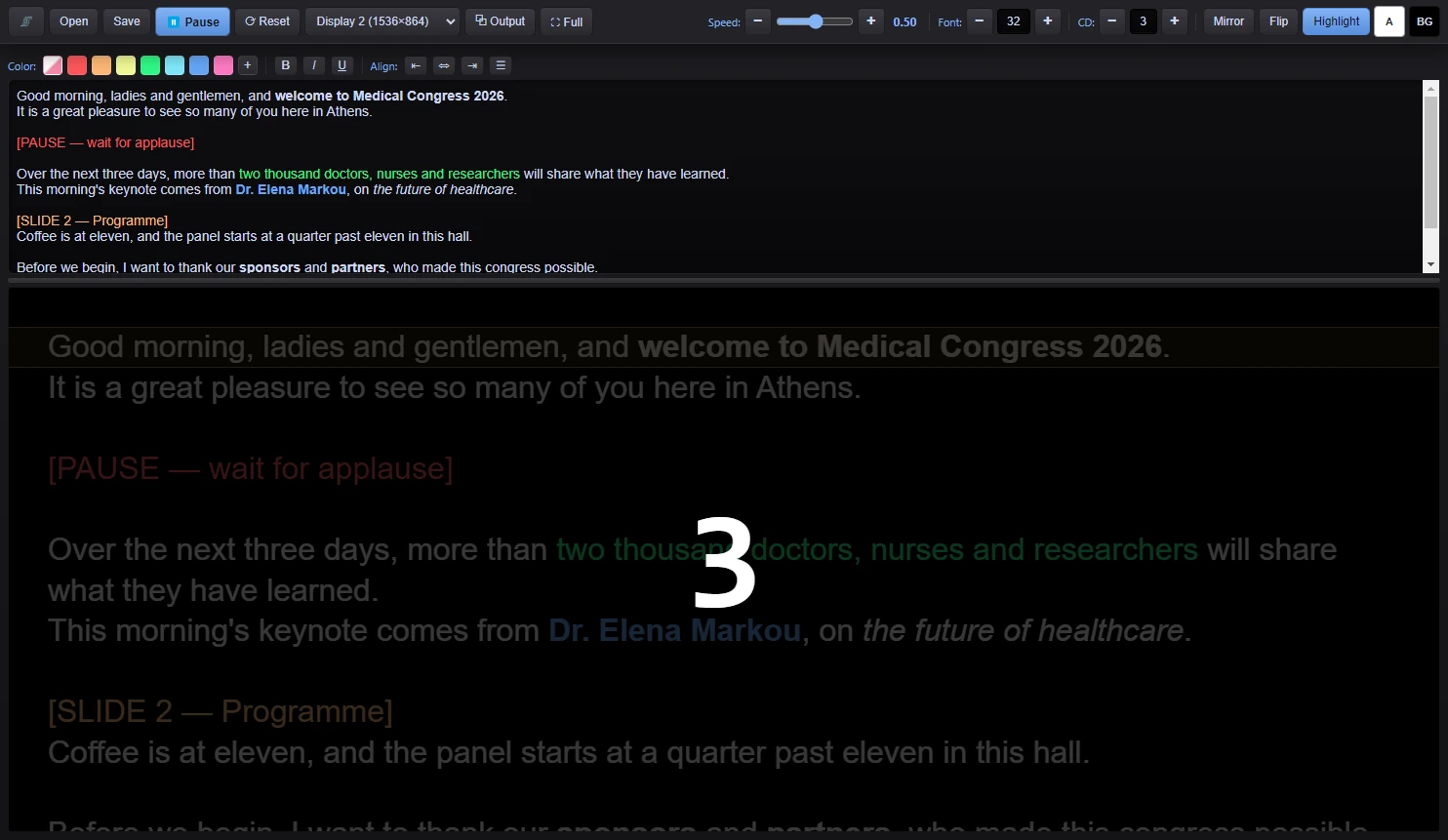
A countdown before the text starts to scroll
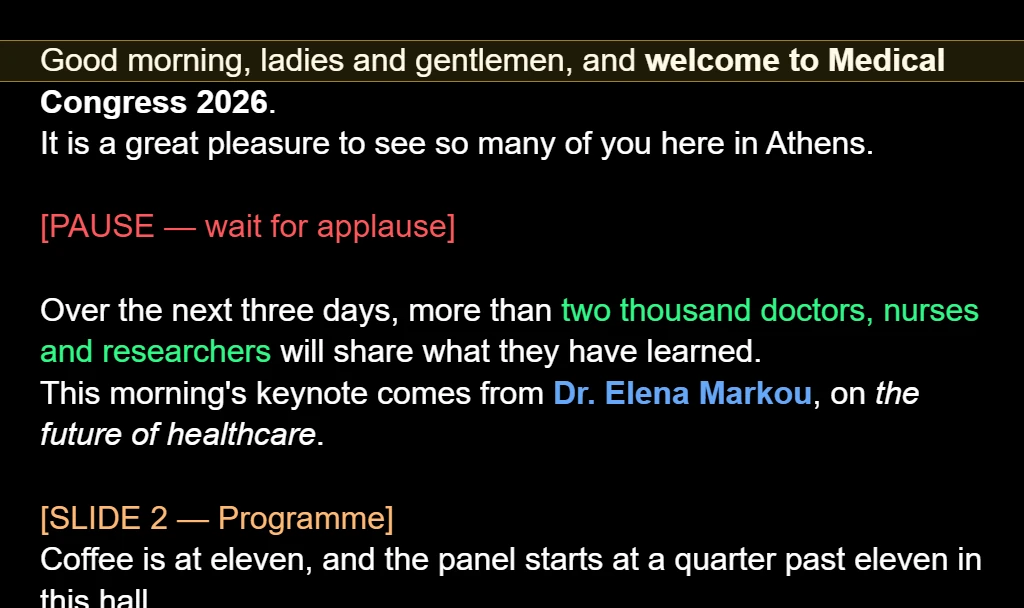
Output Window — exactly what the speaker reads, full screen on the second monitor
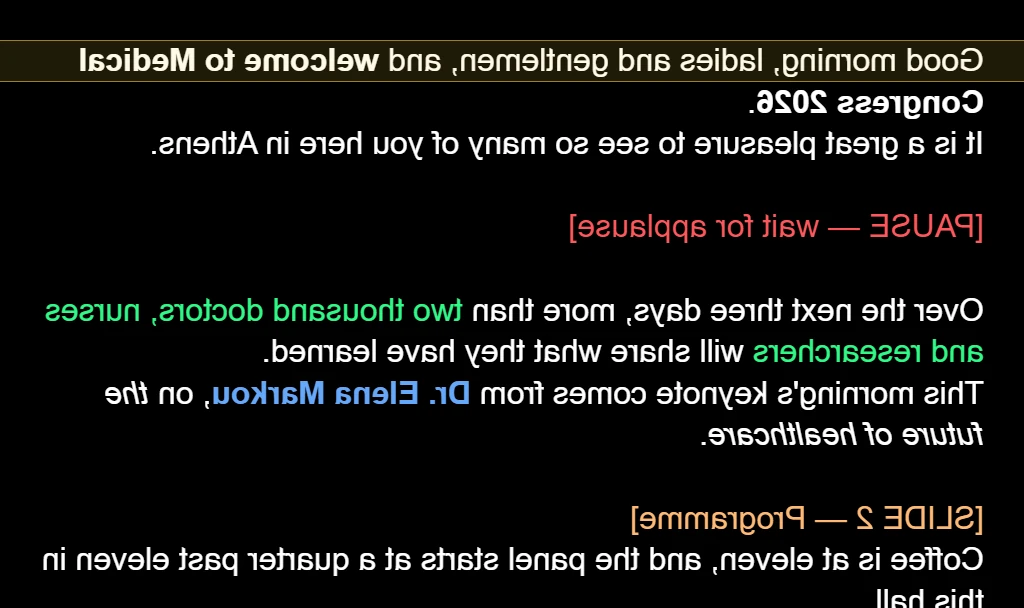
Mirror for a glass teleprompter
A Script Editor That Actually Formats
Most teleprompter apps give you a plain text box. AutoCue Reader gives you a real rich-text editor — color speaker names, bold the parts to stress, italicize an aside — and every bit of that formatting scrolls through to the prompter and the second-screen output exactly as you set it.
Key Features
Rich-Text Script Editor
Color, bold, italic, underline, and text alignment — right in the script editor, not bolted on as an afterthought.
Fullscreen Second-Monitor Output
Pick any connected display from a dropdown and the Output window opens borderless and fullscreen there automatically — no dragging windows around before a show.
Signed Speed Control
One slider from -10 to +10 controls both direction and pace — negative scrolls backward, positive scrolls forward, and you can dial in a crawl that's actually slow.
On-Screen Countdown
A configurable 3-2-1 countdown appears on both the control preview and the audience-facing Output window before scrolling begins.
Mirror & Flip
Horizontal mirror and vertical flip for glass teleprompter rigs that reflect the image back at the presenter.
Reading-Line Highlight
An optional highlighted band marks the current reading position, scaled to match your font size.
Bluetooth Clicker & Mouse Support
Works with both major remote types: keyboard-style clickers (Page Up/Down, arrows) and mouse-style clickers (scroll wheel to jog position, click to play/pause) — no cloud round-trip, so there's no lag.
Custom Text & Background Colors
Set the prompter's default text and background color to match your rig or personal preference.
Adjustable Font Size
Scale the script up or down instantly — the reading-line highlight and scroll padding adjust to match automatically.
Save & Load Scripts
Save your script with all formatting intact as an AutoCue script file, or export to plain text for use elsewhere.
Keyboard Shortcuts
Space to play/pause, arrow keys for speed, Page Up/Down to jump position, and standard Ctrl+B/I/U for formatting while you type.
Single-Instance Launch
Opening the app a second time just brings your existing window to the front instead of starting a duplicate — no confusion mid-show.
Perfect For
- Keynote speeches and conference talks
- Livestreams and video recording
- Broadcast and studio presenting
- Corporate announcements and earnings calls
- Wedding speeches and toasts
- Any live reading where memorizing isn't an option
Why Choose AutoCue Reader?
AutoCue Reader is built for the two people in the room who matter most during a read: the operator, who needs a control surface that doesn't fight them, and the speaker, who needs a screen that's simply there when they look up — full brightness, right pace, right place.
Formatting your script isn't a nice-to-have bolted on top — it's core to how the app works, because a script that's easy to read on the page is easier to deliver on stage.
System Requirements
- Windows: Windows 10 or later (64-bit)
- macOS: Coming Soon
- RAM: 4 GB minimum
- Disk: 200 MB free space
- Display: a second monitor is recommended for the presenter-facing output, but not required